

AutoCAD Civil 3D 2026 is offered primarily through flexible subscription‑based licensing that suits individuals, small teams, and large organizations in the built environment sector.
These options give users access to the latest tools for civil engineering, surveying, and infrastructure design while allowing firms to scale licenses according to project demand and budget.

Autodesk structures Civil 3D 2025 licensing around single‑user, multi‑user, and network‑based subscriptions, plus educational and trial licenses for students and evaluators.
Each model controls how many people can use the software, how long the license lasts, and what level of support and updates are included, making it easier to match the right license type to your role, team size, and workflow
Key features in Civil 3D 2026 Enhanced Dynamo integration:
- New Dynamo nodes for catchments, feature lines, labels, and mesh objects let you automate drainage design, corridor modeling, and labeling workflows.
- Terrain and corridor improvements: Faster surface analysis, better contour display, and corridor‑target enhancements speed up road, rail, and site‑modeling tasks.
- Coordinate‑system and rail‑specific tools: Support for new UK rail and highway coordinate systems, plus additional country‑specific systems, improves accuracy for large‑scale infrastructure.
- Drainage and rail workflows: New drainage‑analysis technology previews and rail‑oriented modeling tools help civil engineers design and validate drainage networks and rail corridors more efficiently.
Licensing Options for AutoCAD Civil 3D (2026)
AutoCAD Civil 3D is a leading solution for civil engineering and infrastructure projects. Autodesk offers several licensing models to suit different types of users, from individual professionals to large enterprises, so organizations can choose what fits their workflow and budget.
1. Single-User Subscription
A single-user subscription is well-suited for independent professionals or small teams. This license is assigned to one user and provides full access to the software.
Key advantages:
- Access to the newest Civil 3D releases
- Cloud storage for easy file sharing and collaboration
- Ongoing updates and Autodesk technical support
2. Multi-User Subscription
Multi-user subscriptions are designed for teams that need shared access to the software. This option allows multiple users to work efficiently under one plan.
Key advantages:
- Centralized license management via Autodesk Account
- Flexible assignment of licenses among team members
- Access to cloud collaboration tools for team projects
3. Network Licensing
Network licensing works best for large organizations operating across different locations. It provides greater control over how licenses are distributed and used.
Key advantages:
- Centralized control of license usage
- Ability to scale licenses based on project demands
- Suitable for remote and international teams
4. Educational Licenses
Autodesk provides free educational licenses for students, educators, and academic institutions. These licenses are meant strictly for learning and training.
Key advantages:
- Free access to full software functionality
- Limited to non-commercial use
- Access to Autodesk learning resources and tutorials
5. Free Trial Version
For beginners or those evaluating the software, Autodesk offers a 30-day free trial. This allows users to explore features and test workflows before committing to a purchase.
Pricing for AutoCAD Civil 3D (2026)
AutoCAD Civil 3D offers flexible pricing options designed to meet the needs of individuals, teams, and large enterprises. Whether you require short-term access or a long-term subscription, Autodesk provides plans that align with different budgets and project scales.
Subscription Plans
AutoCAD Civil 3D is available through monthly, annual, and multi-year subscription models. These options allow users to choose a plan based on project duration and long-term software requirements. Subscription pricing includes access to the latest updates, cloud services, and technical support throughout the license period.
Enterprise Pricing
For large organizations with high-volume licensing requirements, Autodesk offers customized enterprise pricing solutions. These plans are tailored to organizational needs and typically include:
- Custom licensing agreements
- Centralized license administration
- Dedicated support and training services
Organizations can contact Autodesk or an authorized reseller to receive a personalized quote based on their requirements.
Educational Pricing
Students, educators, and academic institutions can access AutoCAD Civil 3D at no cost through Autodesk’s Educational License program. This option includes:
- Full access to all Civil 3D features
- Use is limited to educational and non-commercial purposes
- Access to Autodesk learning materials and tutorials
This is an excellent opportunity for learners to gain practical experience with industry-standard software.
Free Trial Version
New users can explore AutoCAD Civil 3D through a 30-day free trial. The trial allows full access to the software’s features with no purchase commitment, making it ideal for evaluating workflows and capabilities before subscribing.
Here is a fully rewritten, original, and plagiarism-free English version, updated for 2026, ready to publish on your website. The meaning is preserved, but the language and structure are fresh and professional.
Key Features of AutoCAD Civil 3D (2026)
AutoCAD Civil 3D includes a wide range of advanced features that help civil engineers and designers improve accuracy, boost productivity, and optimize project workflows. From transportation design to land development and utility systems, these tools support efficient delivery of high-quality infrastructure projects.
1. Dynamic Surface Modeling
Dynamic Surface Modeling allows users to create and modify terrain surfaces with precision. This feature helps engineers:
- Build accurate surface models using survey and point data
- Perform grading, slope, and drainage analysis
- View terrain in a 3D environment for better design evaluation
Any design modification is automatically updated across related elements, ensuring consistency throughout the project.
2. Corridor Modeling
Corridor Modeling is essential for designing roads, highways, and other linear infrastructure. It enables users to:
- Develop flexible road and corridor templates
- Apply real-world design conditions such as superelevation and cross slopes
- Calculate precise material quantities
This feature ensures uniformity and accuracy across complex transportation designs.
3. Pipe Network Design
Pipe Networks simplify the planning and analysis of underground utility systems. With this tool, users can:
- Design stormwater and sanitary sewer networks
- Automatically size and align pipes and structures
- Perform hydrology and hydraulic calculations
Pipe network tools help reduce design errors and improve efficiency in utility planning.
4. BIM Integration
AutoCAD Civil 3D integrates smoothly with Building Information Modeling (BIM) workflows, enabling better coordination across project teams. Key capabilities include:
- Data exchange with Revit, InfraWorks, and other BIM platforms
- Clash detection to identify conflicts early
- Support for 4D scheduling and 5D cost estimation
BIM integration improves collaboration and leads to more informed project decisions.
5. 3D Visualization
3D visualization tools allow users to present designs in a clear and realistic manner. These features support:
- High-quality renderings and visual simulations
- Effective communication with clients and stakeholders
- Construction sequence visualization for planning purposes
This enhances design understanding and stakeholder engagement.
Automation and Customization
AutoCAD Civil 3D offers robust automation and customization options that help users streamline repetitive tasks, including:
- Custom subassemblies for corridor development
- APIs and scripting for workflow automation
- Personalized tool palettes for faster access to commands
These tools allow professionals to adapt the software to their specific project requirements.
With its powerful feature set, AutoCAD Civil 3D enables engineers, designers, and project managers to handle complex infrastructure projects with confidence, efficiency, and precision.
Implementation, BIM Workflows, and Technical Requirements for AutoCAD Civil 3D (2026)
Implementing AutoCAD Civil 3D 2026 effectively requires aligning your hardware, workflows, and team practices with its BIM‑enabled capabilities.
The software runs on 64‑bit Windows 10 or 11, with a recommended configuration of at least 32 GB RAM, a 3+ GHz processor, and an 8 GB DirectX‑12‑compliant GPU to handle large surfaces, point clouds, and 3D corridor models smoothly.
In BIM workflows, Civil 3D 2026 acts as the civil‑infrastructure backbone, sharing intelligent models (alignments, surfaces, corridors, and pressure networks) with Revit, InfraWorks, and Autodesk Construction Cloud via DWG‑based data exchange and cloud‑connected tools such as Autodesk Docs and BIM Collaborate Pro.
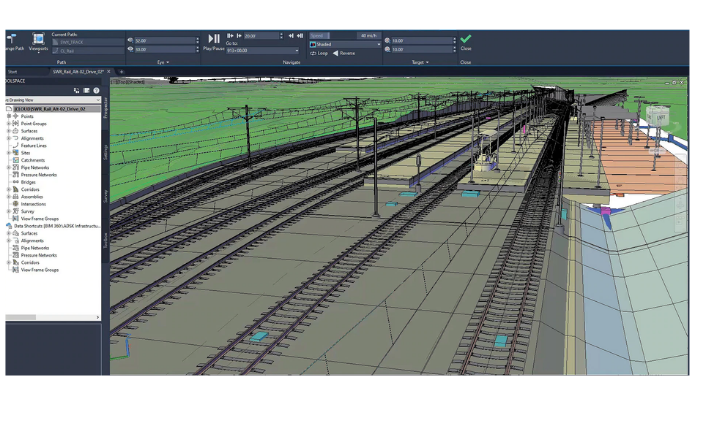
This integration allows teams to coordinate site grading, drainage, and utilities with building and structural models, automate design iterations with Dynamo‑driven workflows, and maintain a single source of truth for design, analysis, and construction documentation.
Implementation and Deployment
Successfully implementing AutoCAD Civil 3D requires proper planning and a structured approach to ensure smooth adoption and maximum return on investment. The following steps can help organizations deploy the software effectively.
Step 1: Evaluate Project Needs
Start by analyzing your project types, team size, and existing workflows. This assessment helps in selecting the most suitable licensing model and deployment strategy.
Step 2: Team Training and Skill Development
Providing adequate training is essential for successful adoption. Autodesk offers official tutorials, webinars, and certification programs that help teams quickly become productive with Civil 3D tools.
Step 3: Hardware Preparation
Make sure your workstations meet or exceed the recommended system requirements. High-performance hardware is crucial for efficiently managing large datasets and complex infrastructure designs.
Step 4: Data Migration and Setup
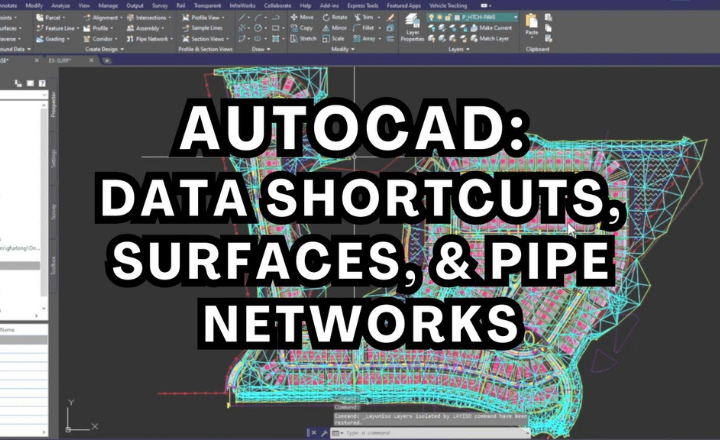
Migrate existing drawings, templates, and standards into AutoCAD Civil 3D. Using data shortcuts and cloud-based storage can significantly improve collaboration and file management.
Step 5: Pilot Project Execution
Begin with a small pilot project to test workflows and identify potential improvements. This allows teams to refine processes before full-scale deployment.
By following these steps, organizations can ensure a smooth transition and fully leverage the capabilities of AutoCAD Civil 3D.
BIM Workflows in AutoCAD Civil 3D
AutoCAD Civil 3D plays a vital role in Building Information Modeling (BIM) for civil infrastructure projects. Its BIM-ready environment supports collaboration, accuracy, and data-driven decision-making.
Interoperability
Civil 3D enables seamless data exchange with architects, engineers, and contractors through industry standards such as IFC, ensuring coordination across multiple disciplines.
Clash Detection
Early identification of conflicts between design elements helps reduce errors, minimize rework, and improve overall project efficiency.
4D and 5D BIM Capabilities
By integrating project scheduling (4D) and cost estimation (5D), teams can improve planning, control budgets, and manage timelines more effectively.
Digital Twin Development
Civil 3D supports the creation of digital twins, virtual representations of physical infrastructure. These models are valuable for long-term asset management, maintenance, and future upgrades.
Adopting BIM workflows with AutoCAD Civil 3D enhances collaboration, improves accuracy, and leads to better project outcomes.
Technical Requirements for AutoCAD Civil 3D (2026)
To achieve optimal performance, systems should meet the following technical specifications.
1. Minimum System Requirements
- Operating System: Windows 10 or Windows 11 (64-bit)
- Processor: 2.5 GHz or faster
- RAM: 16 GB (32 GB recommended for complex projects)
- Graphics: 4 GB GPU with DirectX 12 support
- Storage: At least 20 GB free space (SSD preferred)
2. Recommended System Requirements
- Processor: Multi-core processor, 3.0 GHz or higher
- RAM: 32 GB or more
- Graphics: 8 GB GPU with DirectX 12 support
- Storage: 1 TB SSD for improved performance
3. Cloud and Network Requirements
- Stable internet connection for license activation, updates, and cloud services
- Autodesk Account for license management and cloud collaboration features
Meeting these requirements ensures smooth operation and enhanced productivity.
Conclusion
AutoCAD Civil 3D remains a trusted solution for civil engineering and infrastructure design in 2026. Its advanced design tools, flexible licensing, strong BIM integration, and scalable deployment options make it an essential platform for modern engineering teams. By understanding implementation strategies, BIM workflows, pricing, and technical requirements, organizations can make informed decisions and maximize the value of their investment.